ETC Eos family
Eos Ti, Gio, Ion, Element, Apex and ETCnomad. Enable OSC RX and TX in Setup, System, Show Control; the app connects to the console and subscribes. A main console address and main cue list filter keep backup desks out of the plot.
 SPOTLIGHTMAESTRO
Console integration
Spotlight Maestro listens to your console's own show control output: ETC Eos, grandMA2 and grandMA3 are all supported. When the desk fires a cue, every device in the venue scrolls to the matching spot cue. No exports, no pairing, no assistant keeping a manual document up to date.
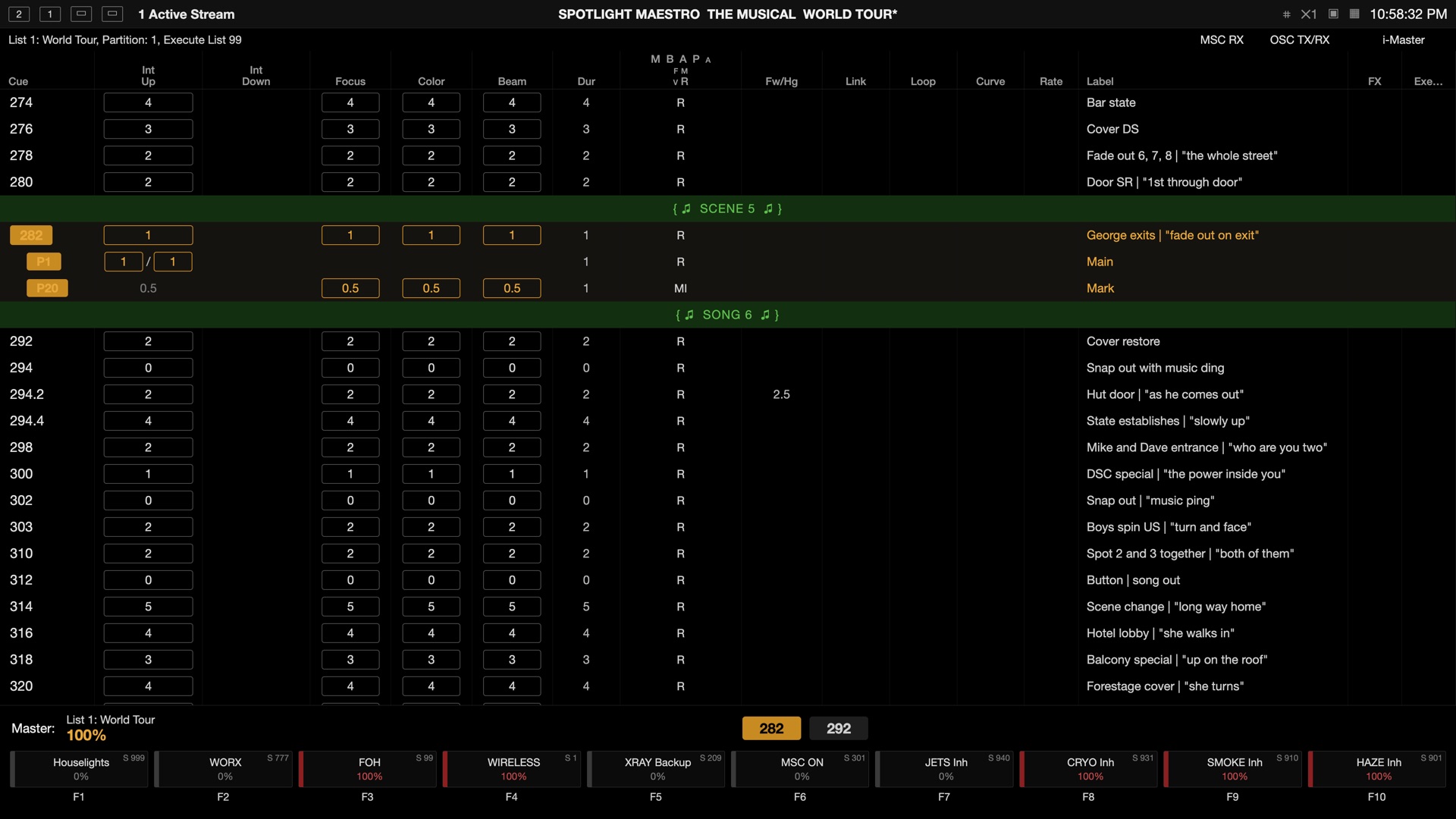 The cue list the desk is running · the plot follows it, cue by cue
Tracking the console automates the plot; Follow gives the spot caller control. One person steps through the show from the master plot or the calling script and every connected screen moves with them. Great for manually calling spot cues independently of the console, or without a console at all. One driver at a time, named on every toolbar, and the console takes back control the moment tracking is reinstated.

The console type is one dropdown in Settings, Console Sync. The tracking, the manual override, the monitor and the test tools work identically on all of them.
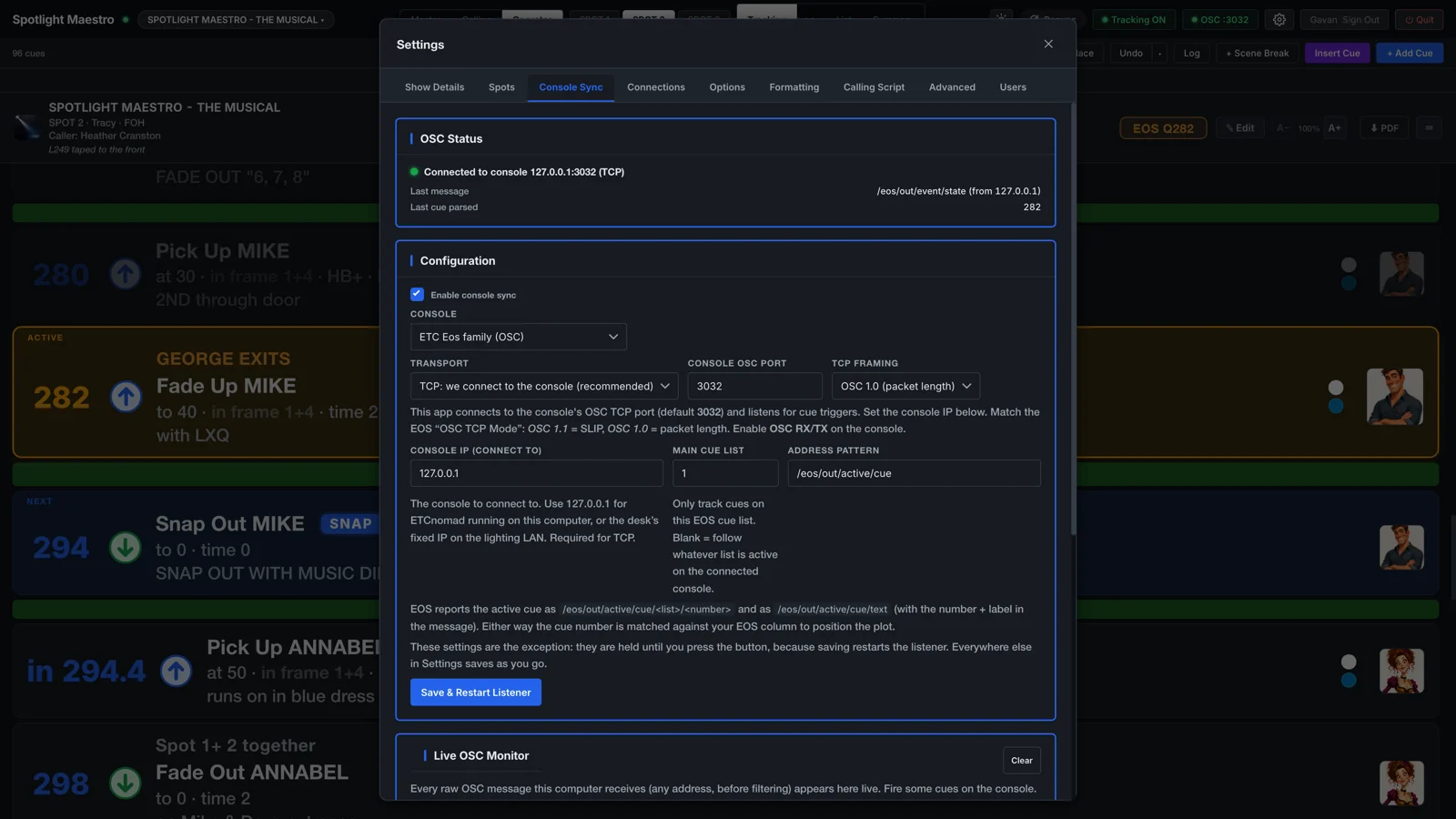
Eos Ti, Gio, Ion, Element, Apex and ETCnomad. Enable OSC RX and TX in Setup, System, Show Control; the app connects to the console and subscribes. A main console address and main cue list filter keep backup desks out of the plot.
Followed over MIDI Show Control on Ethernet, no MIDI hardware involved. On the console: Setup, Console, MIDI Show Control, with MSC Out set to Ethernet, Exec.Page and Command Format All. An executor filter keeps the plot on the show's executor.
grandMA3 sends no show control over MIDI on the network, so the app follows its OSC output instead. On the console: Menu, In & Out, OSC, one output line pointed at the host machine with Send on. A sequence filter keeps the plot on the show's sequence.
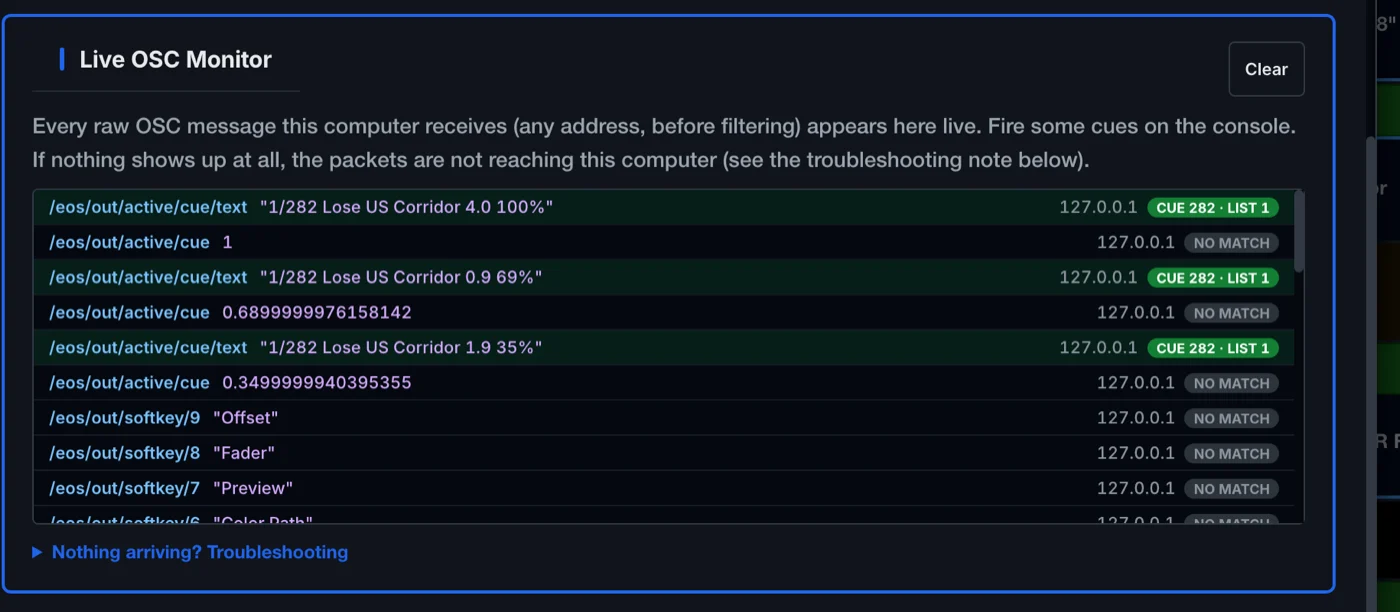
Show control failures are difficult to debug. The live monitor shows every message as it arrives, before any filtering, and names the filter that discarded anything it skipped.
Send Test Cue injects a cue number as though the console had fired it, so the plot has to find it by the console cue numbers written in the show. That is the honest test, and it needs no console in the venue.
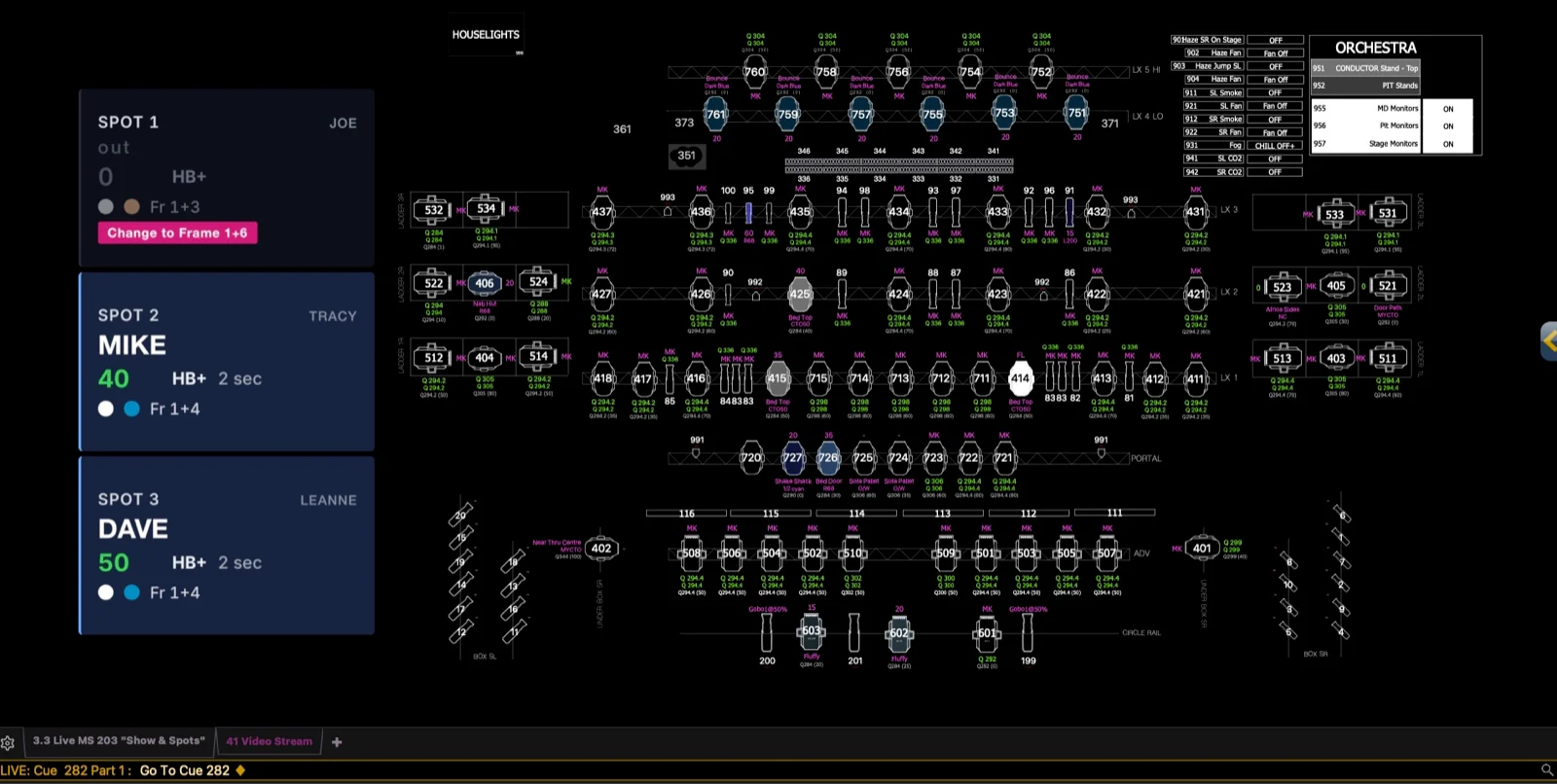
The app serves the live plot, or a spot summary strip, as a standard video stream for a console's video tab or magic sheet, or any other device that accepts an RTSP stream. The plot on the console screen: no other followspot tool does it.
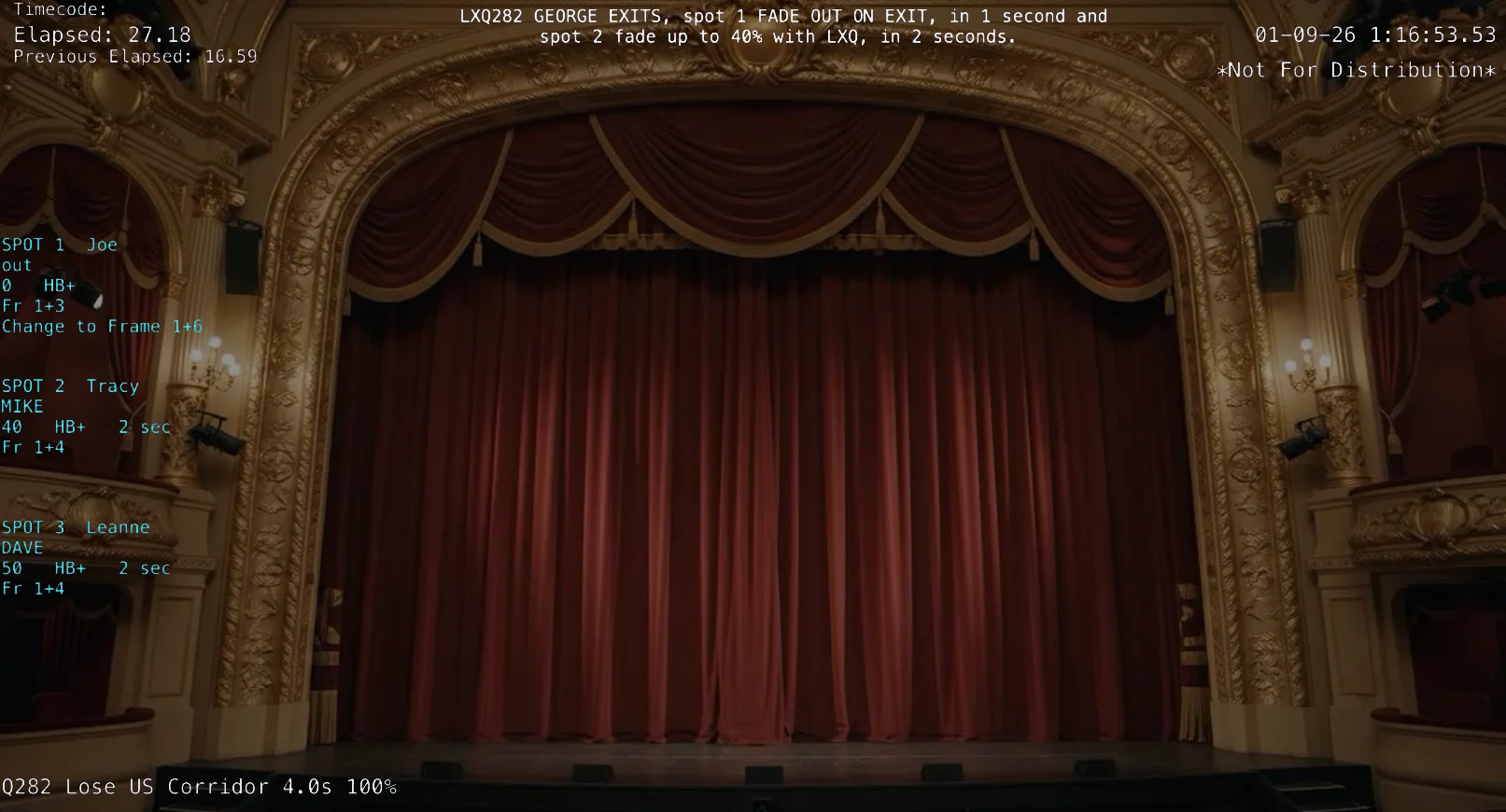
From Settings, Connections, the app feeds VOR (getvor.app) and KoalaCue (koalacue.com) live text for its video overlay: the calling line word for word, each spot's own instruction, and a running summary per spot. Point your camera at the stage and every recording captures the spot cues, so watching back a performance shows exactly what was done at every moment.
The connection facts, per console. The manual has the full step by step setup for each.
| Console | Protocol | Connection |
|---|---|---|
| ETC Eos family | OSC. TCP recommended, OSC 1.0 and 1.1 framing both supported, or UDP with the console transmitting. | Network. TCP port 3032 by convention. |
| grandMA2 / dot2 | MIDI Show Control over Ethernet, received directly off the network. Acts on GO and TIMED GO. | Network. UDP, port 6004 by default, with device and executor filters. |
| grandMA3 | The console's OSC sequence output. Acts on Go+, Goto, Top, Load and On. | Network. UDP, port 8000 by default, with a sequence filter. |
How Spotlight Maestro works with your existing console network.


The layout the whole system revolves around, and how the show's data lives inside it.