
Followspot plot

The followspot plot,
explained.

A followspot plot is the master document for the spots on a show: every spot side by side, every cue a row, in running order. It says what each spot does on each lighting cue. Here is how it differs from a cue sheet and a calling script, how it ties to the console, and what changes when it lives on screens.
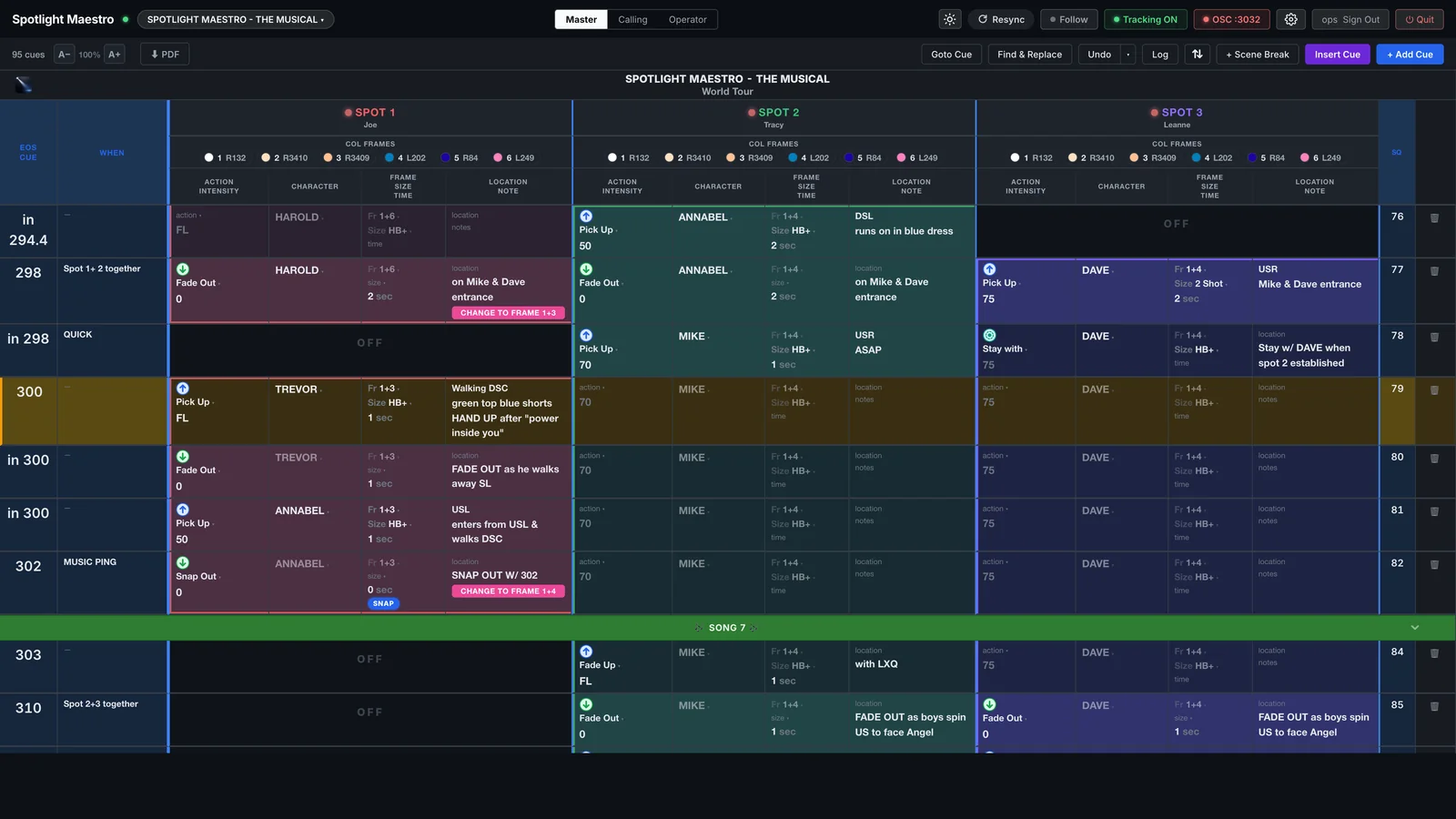
A followspot plot on screen: three spots side by side, one row per cue, each spot in its own colour, the live cue highlighted
A followspot plot for three spots · one row per console cue, each spot's four columns, the live cue held centre

Three documents, all from one plot.

Every show with followspots carries the same information in three shapes. Write the plot once and the other two follow from it.
Scene 1 · Plot, cue sheet, calling script
Active 1

The followspot plot

The master. Spots across the top, cues down the side, in running order. The designer and the caller read it; it is the one place every spot's cue can be seen against every other's.

2

The followspot cue sheet

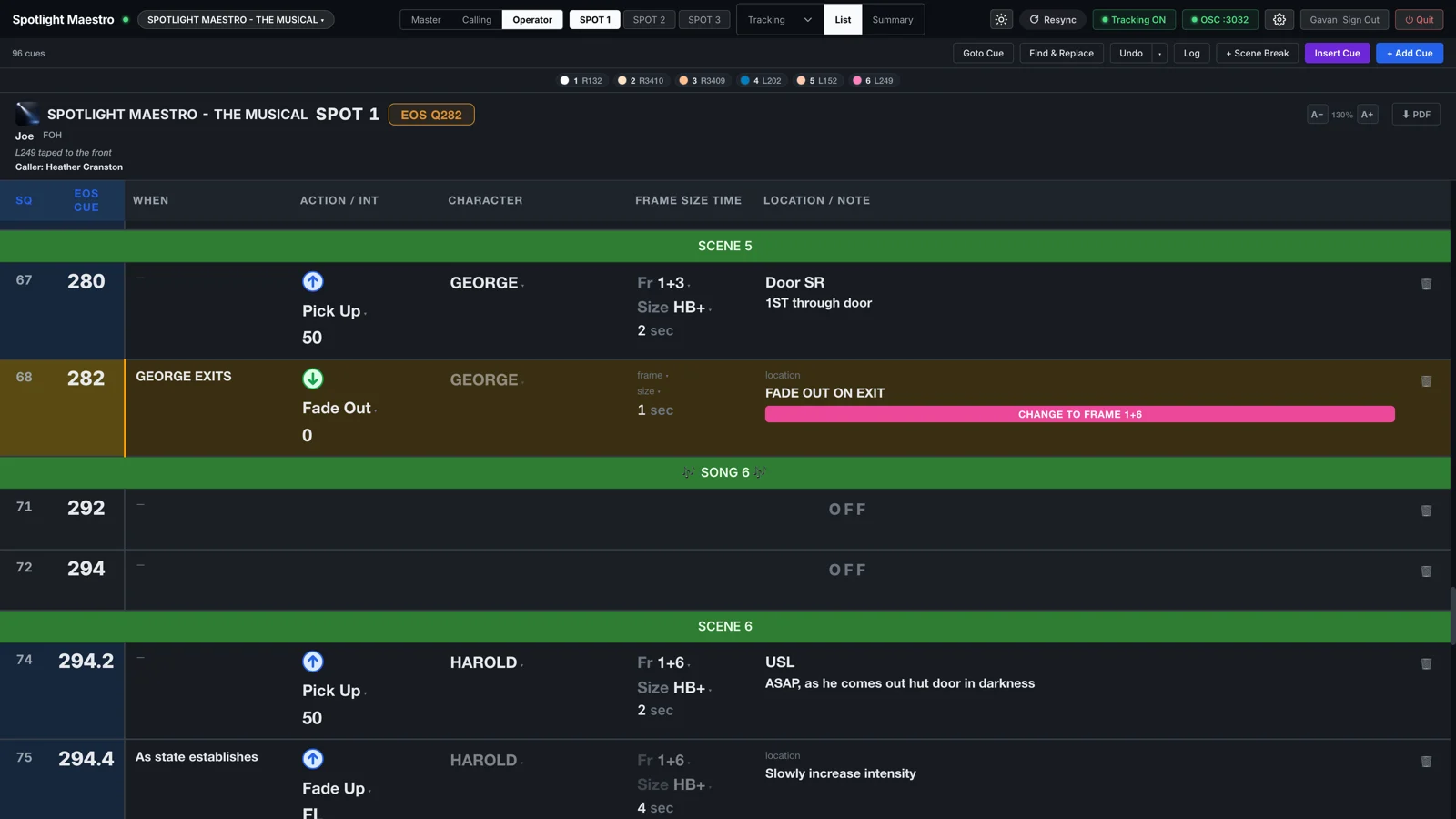
One spot's slice of the plot, in that operator's reading order, with only the cues that spot is in. The operator reads it in the booth. What goes on a followspot cue sheet is below.

3

The calling script

The plot again, written as spoken lines: "Spot 1 pick up Trevor, full, walking down centre." The caller reads it on headset. Spotlight Maestro generates it from the plot, so it can never disagree with the sheets.

A followspot cue sheet for Spot 1 on a tablet: one row per cue with the console cue, action, intensity, character, frame, size, time and notes
Spot 1's cue sheet · one row per cue, the live cue held high, the next lit and waiting

What goes on a followspot cue sheet.

Every show has its own layout and its own shorthand, but the same seven things are always there. This is how Spotlight Maestro lays them out, and the order most paper sheets use too.

Scene 5 · One row per cue, columns left to right
Active 1

The console cue

The lighting cue this spot cue is taken on, with the spot cue's own number beside it. A cue taken between console cues is written "in 300", and a trigger such as "on Mike and Dave's entrance" says exactly when.

2

Action and intensity

Pick up, fade out, snap out, bump, stay with. And the level it ends at: FL for full, 50, 0. Two levels with a slash, 0/90, is two moves in one cue. The arrow beside the number says up, down or hold, worked out from the levels themselves.

3

Character

Who the spot lights. The character, not the actor, because the understudy goes on and the sheet does not change. On a tablet the character's photograph sits beside the name.

4

Frame, size and time

The colour frame or frame combination in the beam, 1+3 for two frames together. The beam size in the show's own wording: HB+ for head and shoulders plus, 2 shot, full body, tight. And the fade time in seconds. A time of 0 is a snap, and the sheet flags it.

5

Location and notes

Where the pickup is: DSL, walking DSC, enters from USL. Then whatever the operator needs that does not fit a column: "hand up after power inside you", "as he walks away SL", "snap out with 302".

6

Frame changes and presets

A frame change while the spot is dark is a cue in its own right, and the sheet calls it out: "change to frame 1+4". A preset line at the top says what frame to load before the show.

7

Scene and song breaks

Banners between the cues: Act 1, Scene 5, Song 7. They are how an operator finds their place after a hold, and how the caller says "we are going from the top of Song 7".

Where paper goes wrong.

Every cue sheet is right on the day it is printed. Then a cue moves in tech, the designer adds a pickup, the fade time changes, and four sheets in the booth are wrong in four different ways. The operator writes over it in pencil, the next operator cannot read the pencil, and the caller is on headset asking "which cue are we on?" Paper also needs light to read, and a booth needs dark. The sheet was never the problem. Updating and reprinting it was.

From paper and spreadsheets to screens.

Most followspot plots start life in a spreadsheet, or in a database somebody built for the purpose, and end life as paper: one master on the desk, one sheet per booth, reprinted after every tech session. Spotlight Maestro keeps the plot as data on one host machine. The master plot is edited there, by the designer, the associate or the caller, from any browser. Every operator's cue sheet and the calling script are views of the same data, so one edit reaches every screen before the next cue.

A plot you already have comes in through the CSV import: Excel, Numbers, Google Sheets, or anything a FileMaker database can export. The wizard finds the per-spot column groups, maps them, and previews the result before writing a row. And the plot goes back out as PDF whenever paper is wanted.
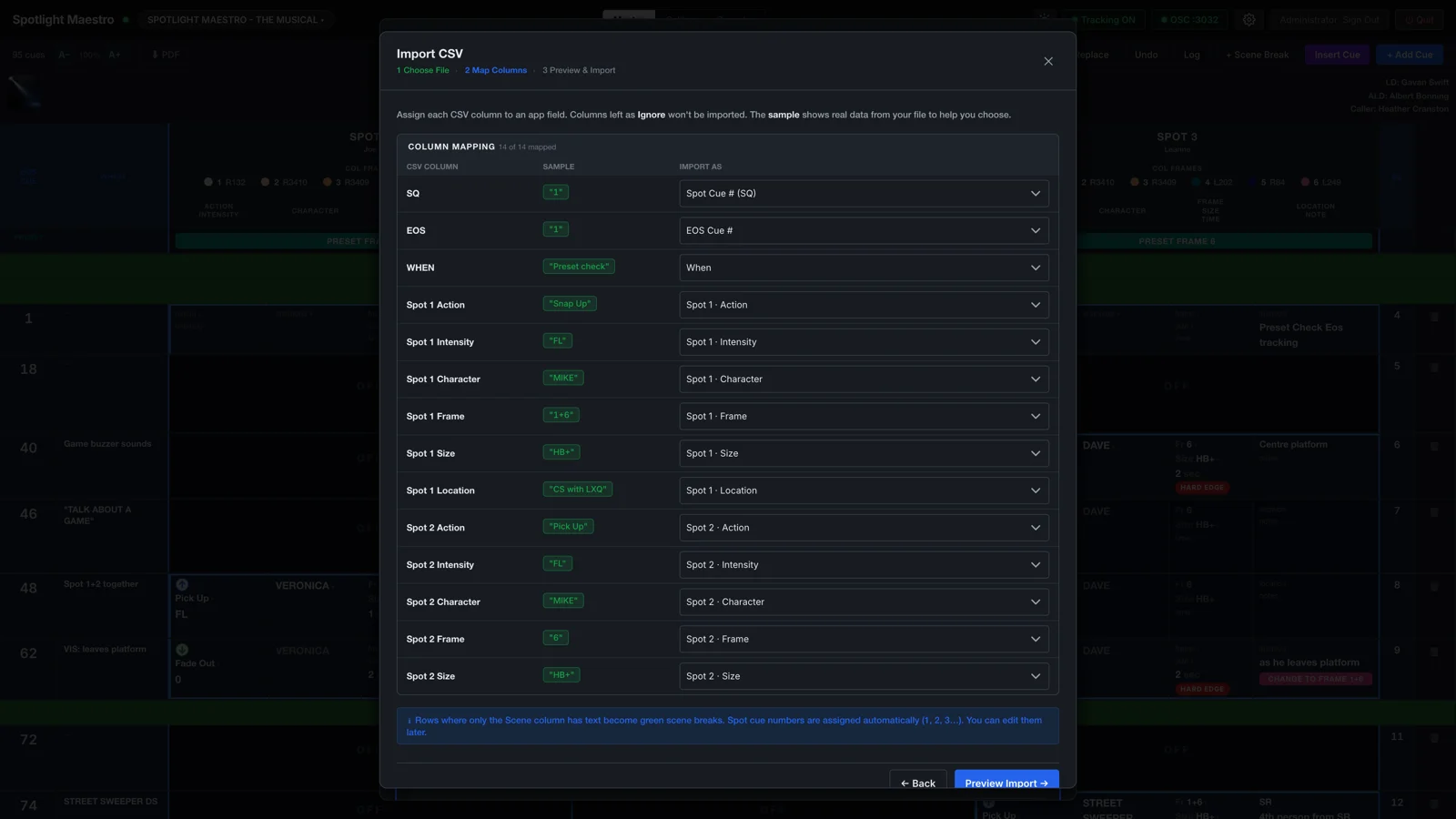
The CSV import wizard mapping a spreadsheet's columns to the plot's fields
Importing a spreadsheet plot · the wizard maps each column, then previews before it writes

The plot that follows the console.

The host listens to the ETC Eos or grandMA console over the show network. When the console fires a cue, the master plot, every cue sheet and the calling script move to it, on every screen on the lighting network. Nobody counts, nobody scrolls. A cue changed in rehearsal is on the tablets instantly, and the PDF is one click when the paper copy is wanted.

One plot. Every device.
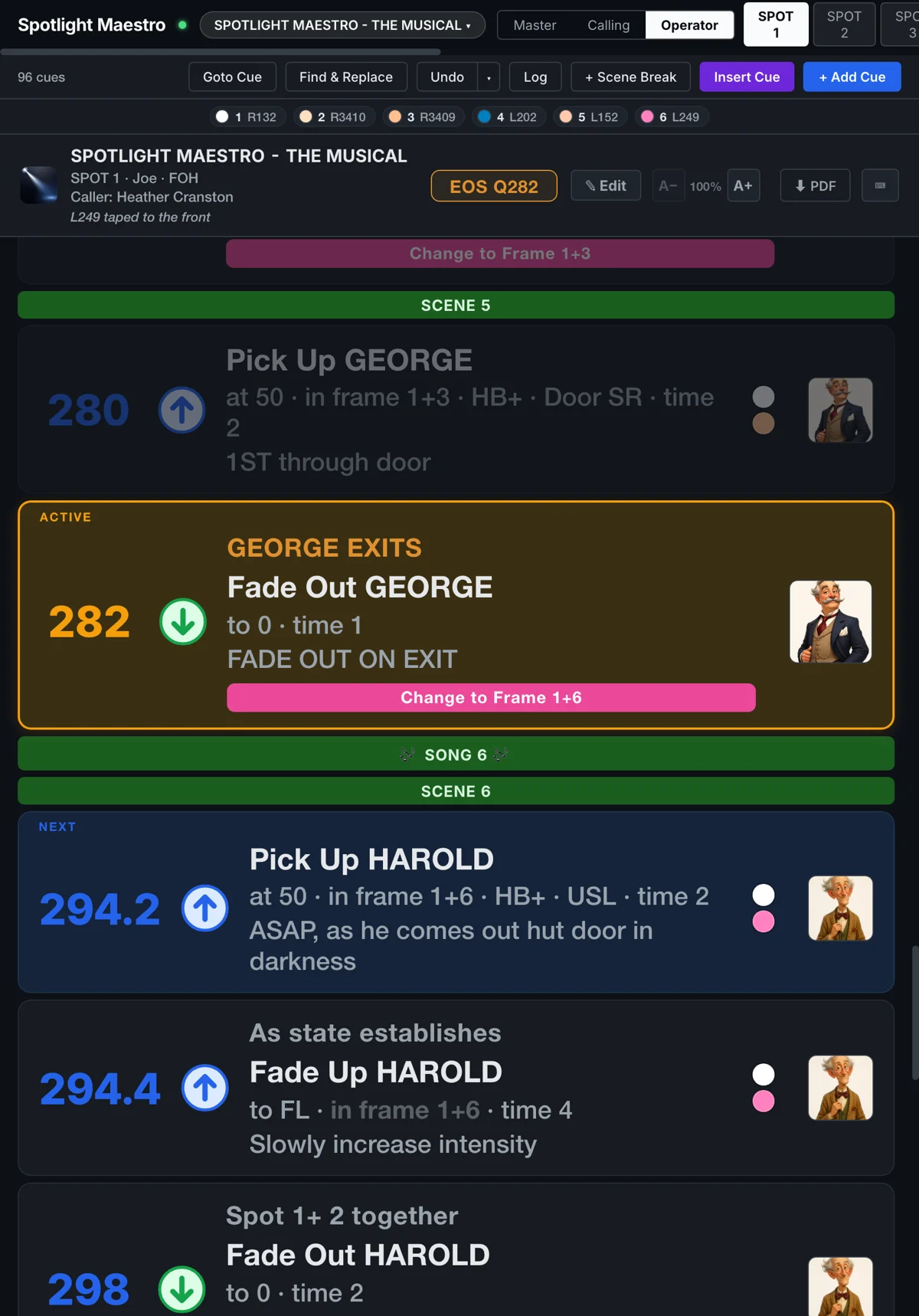
An operator's tablet showing the tracking layout, the live cue held centre
The same plot, as Spot 1 sees it on a tablet in the booth

Next: buy it for your show.

Licensed per production, bought outright. No subscription.