The manual
Setup and first plot, the console connection, every layout, every settings tab: written by role and feature, so the designer, the caller and the operator can each start at their own chapter.
Open the manual Download the PDF SPOTLIGHTMAESTRO
Support
Spotlight Maestro is built for lighting professionals. The manual covers the app end to end.
Setup and first plot, the console connection, every layout, every settings tab: written by role and feature, so the designer, the caller and the operator can each start at their own chapter.
Open the manual Download the PDFThe form below is the fastest way in. Include your licence reference from Settings, and say which console and platform the show runs on.
Go to the formLicence files can be re-sent to the address that bought them. Use the form with the topic set to resend my licence, and give your production's name and, if you have it, the licence reference.
Resend my licenceSometimes fixing a problem means opening your show. Spotlight Maestro has no secret manufacturer login. Instead, support signs in with a one-use pass that we create for your show alone, that expires within hours, and that is spent the moment it is used.
Scoped to one show, so a pass for your production opens nothing else. Logged where you read it, in your show's change log, named and timed. Disclosed in the app, in Settings, Connections, Support Access.
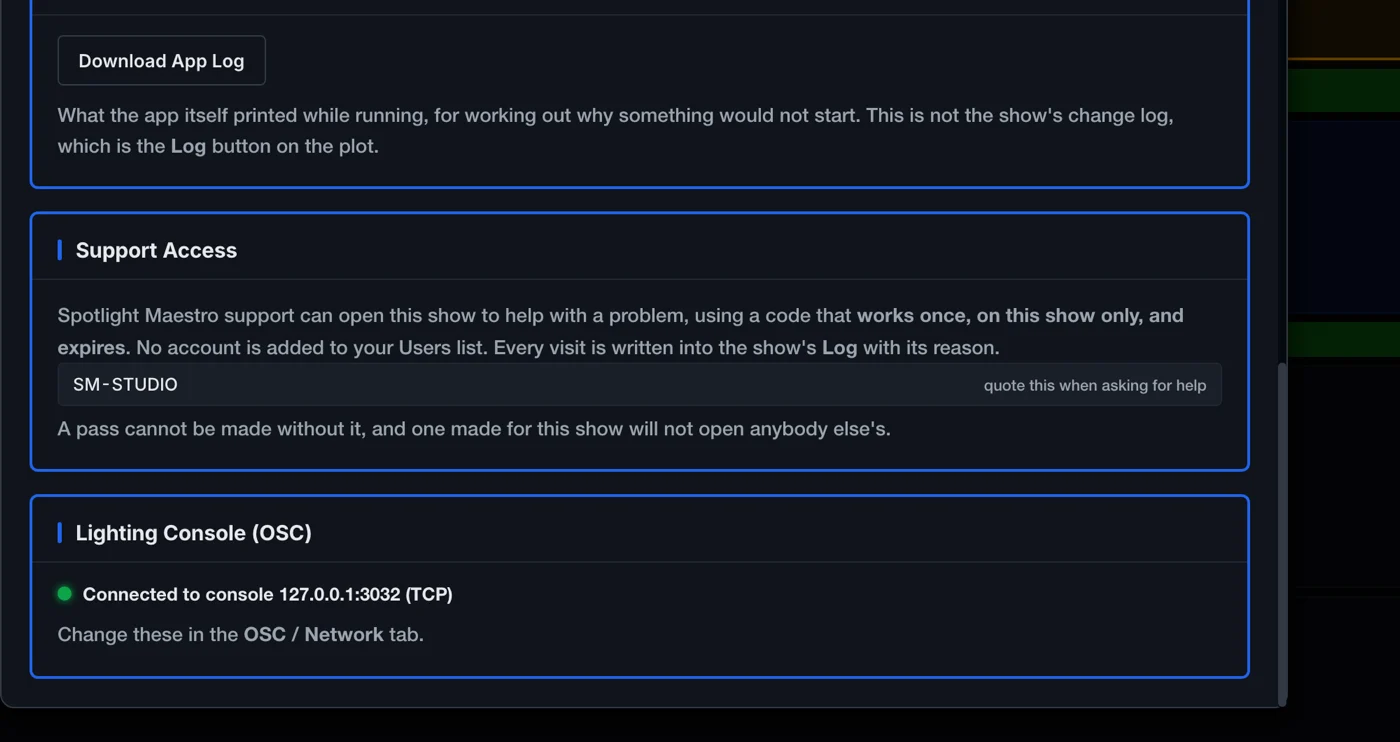
Say which console and platform the show runs on, and include your licence reference from Settings, Show Details. If the problem is about data, keep a backup file ready to attach to the reply you receive: one file tells the whole story, app log included.
Every panel, every button, every checklist, by role and by feature.