Remote followspots

When the desk takes the fader,
every screen says so.

RoboSpot, GroundControl, Follow-Me and Macula systems move the followspot into the rig and the operator to a base station, and suddenly intensity can belong to the operator or to the console, cue by cue. One switch tells Spotlight Maestro the show runs remote spots, and every layout, script and PDF starts showing who controls what.

Scene 6 · Whose hand is on the fader
Active 1

One switch, one default

Turn on remote followspots in Settings, Options, then choose who normally runs intensity on this show: the operator, with the desk overriding the odd cue, or the console outright. That one answer becomes the rule every view measures against.

2

Only the exception gets a flag

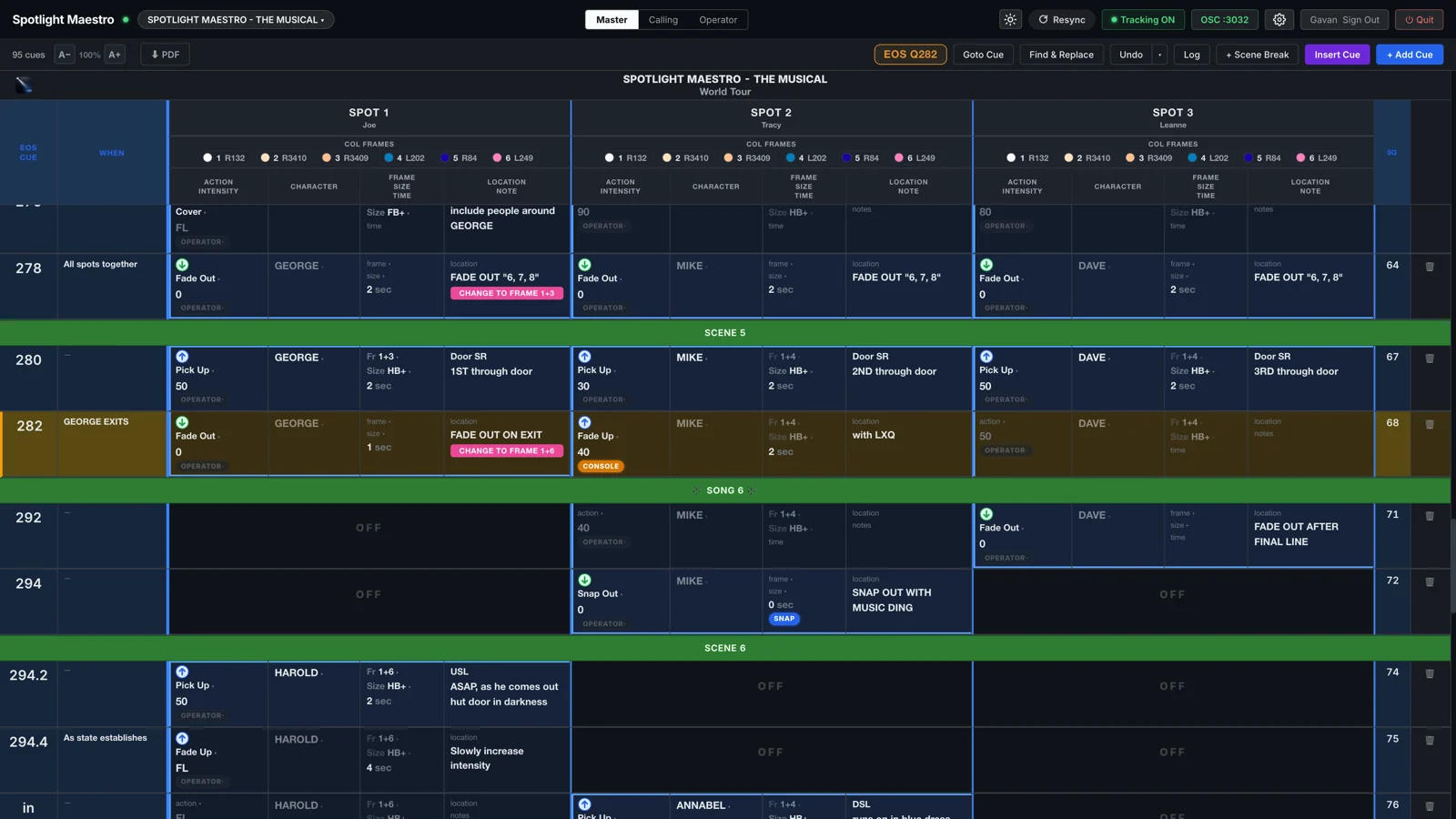
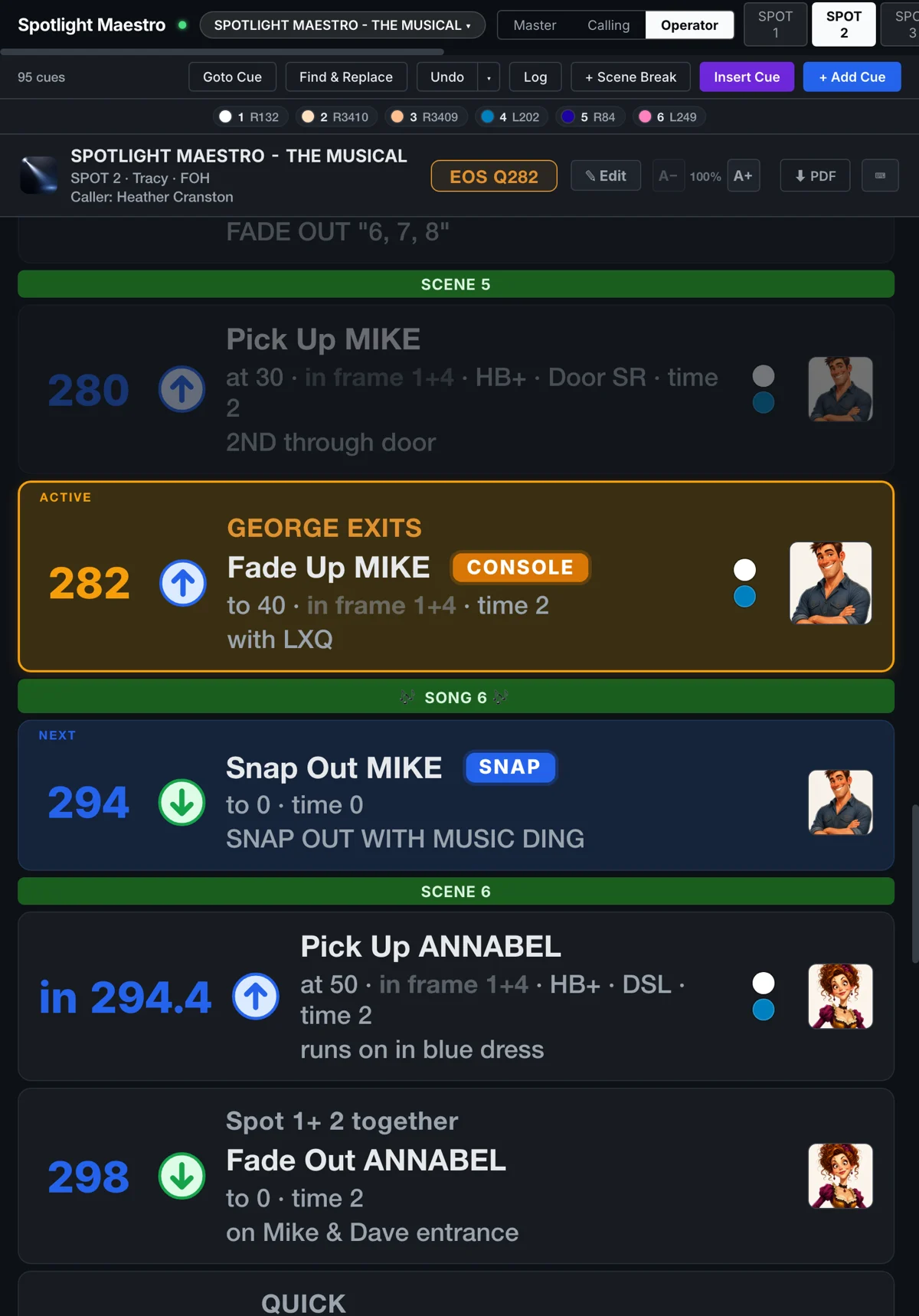
A cue that breaks the show's rule is flagged CONSOLE or OPERATOR on the master plot and the operator views. Cues that follow the rule stay quiet. The plot stays readable; the important information stands out.

3

Ceiling mode reads ON and OFF

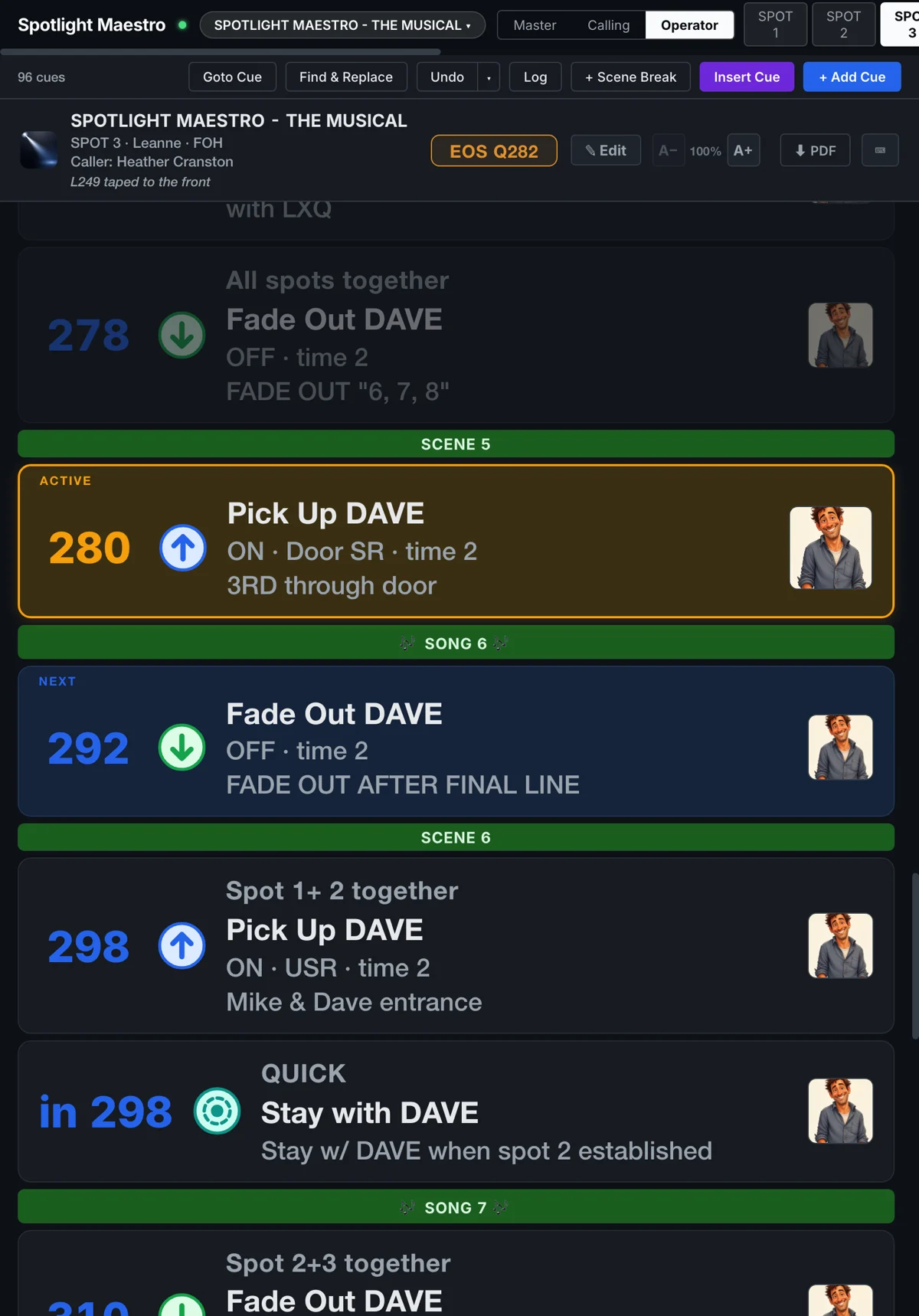
Some shows have the console set the intensity ceiling while the operator always fades to full. Mark that spot in Settings and its operator's views read ON and OFF instead of levels, two-move values included, so 50/0 reads ON/OFF. The master plot keeps the real numbers. No data is lost.

4

The desk's parameters step out of the way

Mark colour, size, frost or time as desk-owned on a spot and they disappear from that operator's views, calling lines and PDFs, so nobody reaches for a control they do not have. The master plot always documents everything, because the assistant still plots what the desk does.

The master plot with cue 282 active: spot 2's intensity wears the amber CONSOLE pill, every other cue stays quiet
Cue 282 breaks the show's rule · CONSOLE flags it, nothing else shouts
Spot 2's operator view in portrait: the live cue reads Fade Up MIKE with the amber CONSOLE chip beside it, level tiles on every cue
The operator's view · the CONSOLE chip rides the cue that breaks the rule
Spot 3's tracking view in portrait, in ceiling mode with the desk owning colour and size: every cue reads ON or OFF, with no frame or size shown
Ceiling mode · the desk owns colour and size, so Spot 3 reads only ON and OFF

Consistency throughout. The plots, the tracking cards, the calling script and the PDFs all consult the same rule, so no two views can ever disagree about who is in control of the intensity.

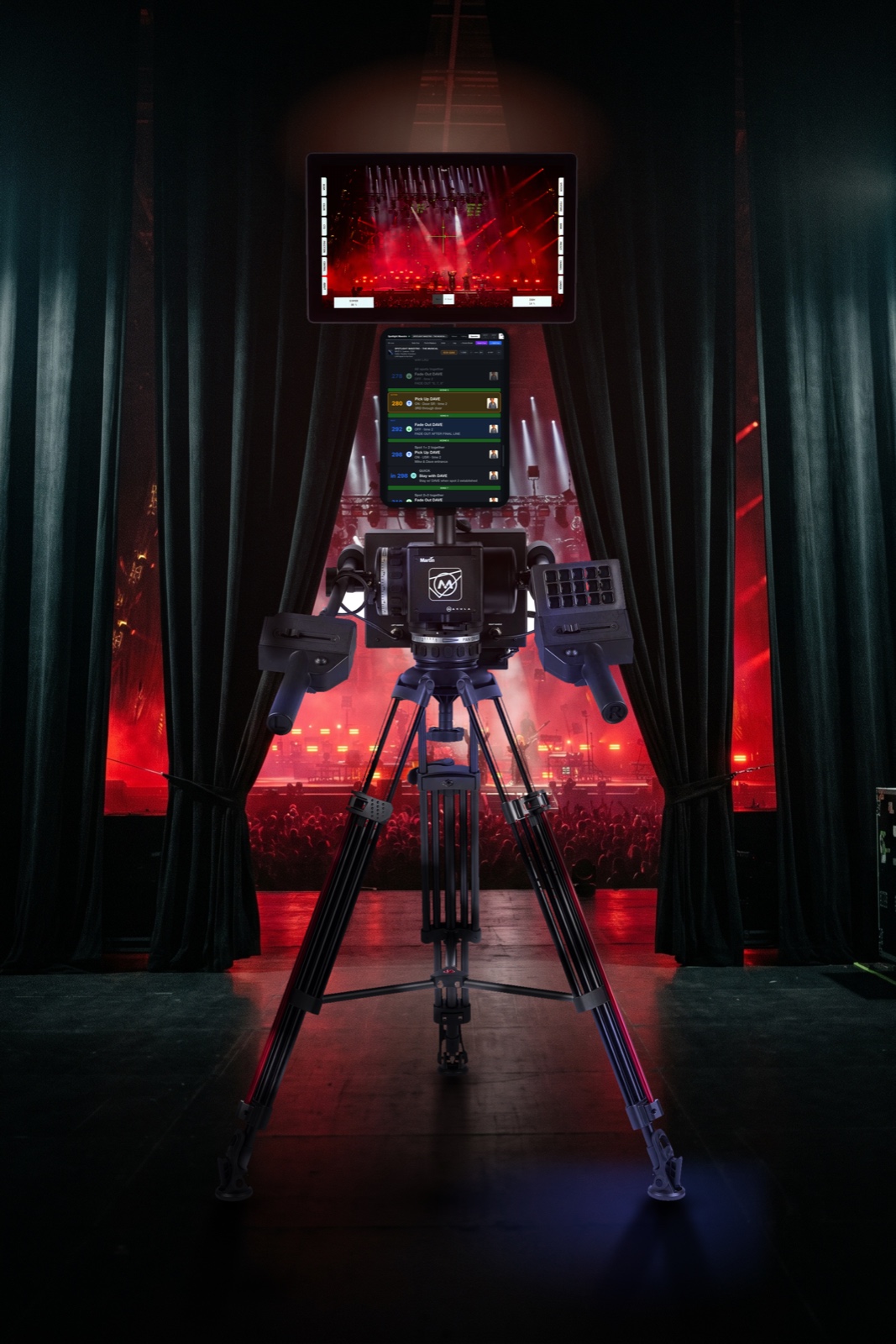
A Martin Macula base station in the wings during a show: a tablet on the monitor pole runs Spot 3's ceiling-mode view against a red stage state beyond the masking
Spotlight Maestro and Macula

Any remote rig. Nothing brand-specific.

Spotlight Maestro doesn't talk to the remote system. It tracks ownership, which is common to all remote control setups.

Remote · Systems

Works with all of them

RoboSpot, GroundControl, Follow-Me, Macula, or whatever the rig runs: there is no per-brand setup, because the question is the same on every system. Who runs the level on this cue, and what does the desk own outright?

Remote · Mixed rigs

Per spot, not per show

A front of house spot and an onstage robo spot live happily in the same plot. Ceiling mode and desk-owned parameters are set on each spot, so the conventional operator's paperwork does not change at all.

Remote · Paperwork

The paperwork keeps up

The CONSOLE and OPERATOR pills, the ON and OFF levels and the hidden desk-owned columns carry through to every printed PDF, so the paper backup in the booth matches the screens.

Next: the calling script.

The same cues, rewritten as the words a caller actually says.