One file per show
Everything about a production lives in a single show file on the host machine: cues, users, settings, vocabulary, photographs. Nothing is in a cloud.
 SPOTLIGHTMAESTRO
The master plot
The master plot is the followspot plot as the designer and caller see it: every spot side by side, every cue a row, reading down the page in running order. It is the document the paper plot always wanted to be, and it is live and tracking data. New to the paperwork? Start with the followspot plot, explained.
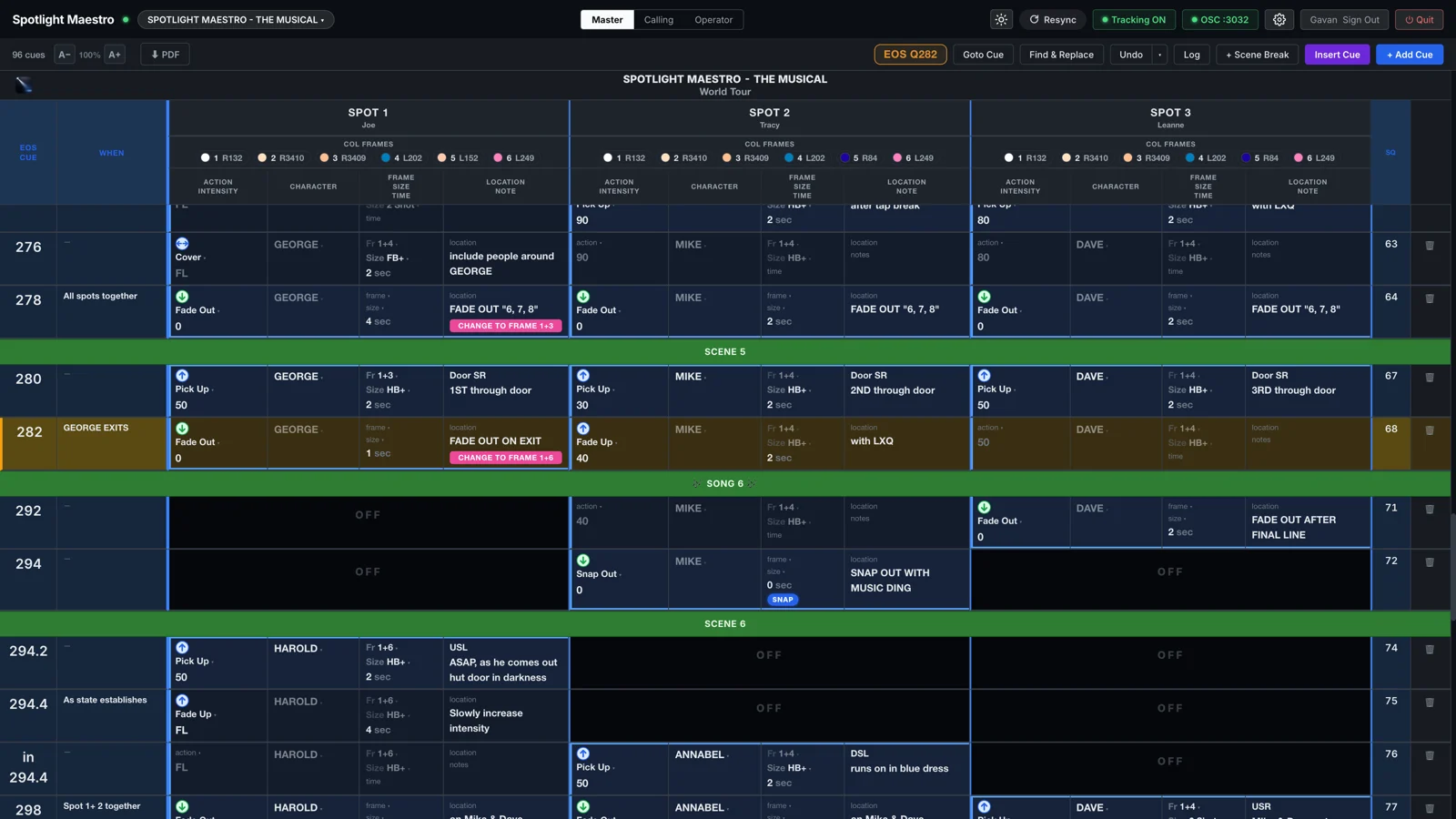
Give each spot its own colour in Settings, Spots, and it’s shown on the Master plot and its PDF. Working cues take the colour in full, held cues take a faint wash of it, and a spot that is off stays dark. Three spots or twelve, the eye lands on the right column.
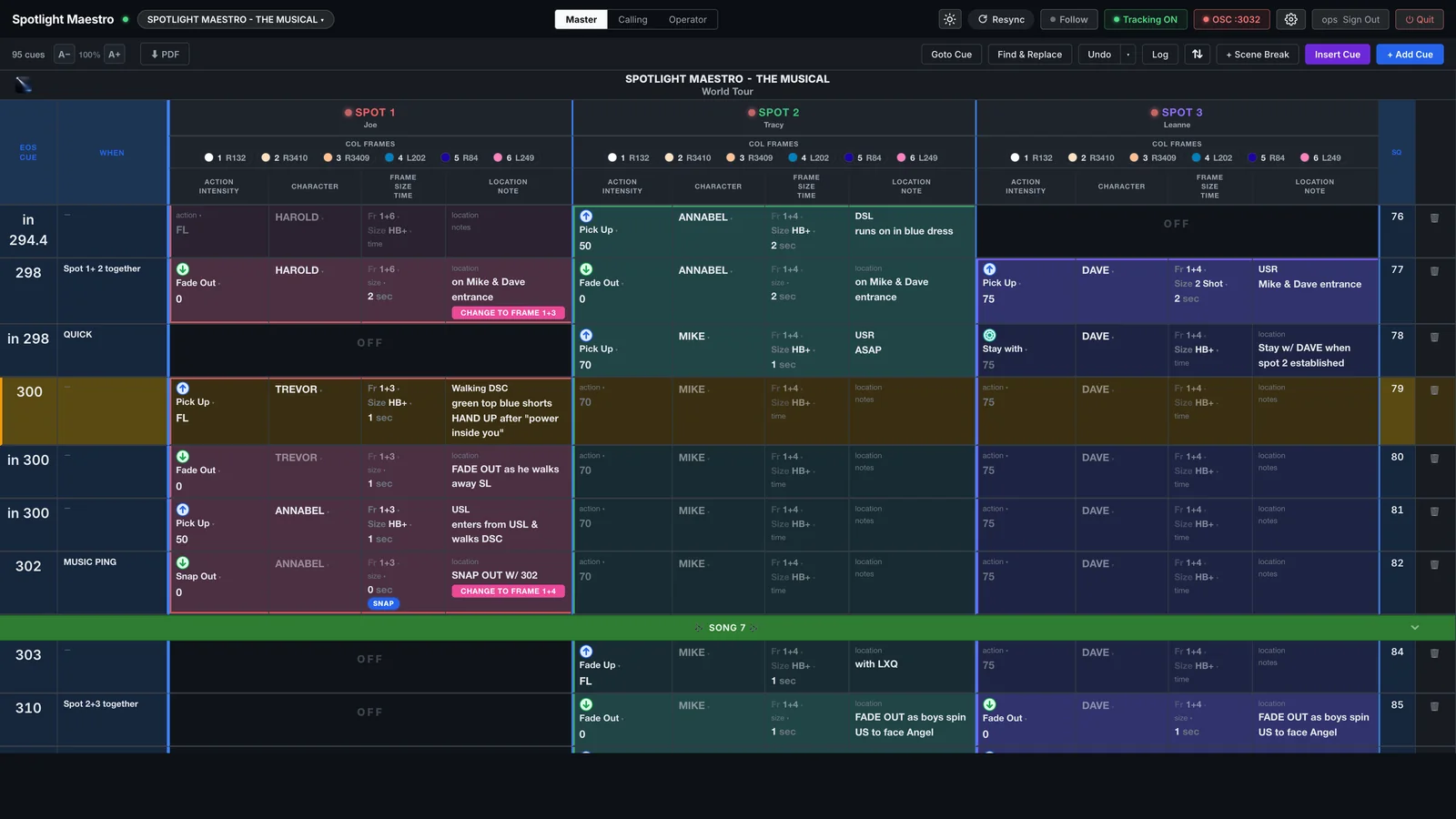
Which spots a screen shows, and their left to right order, belongs to that screen. Put spots 1 to 4 on one monitor and 5 to 8 on the next, or give the associate a screen of just the truss spots. The show is one plot; every desk arranges it to taste.
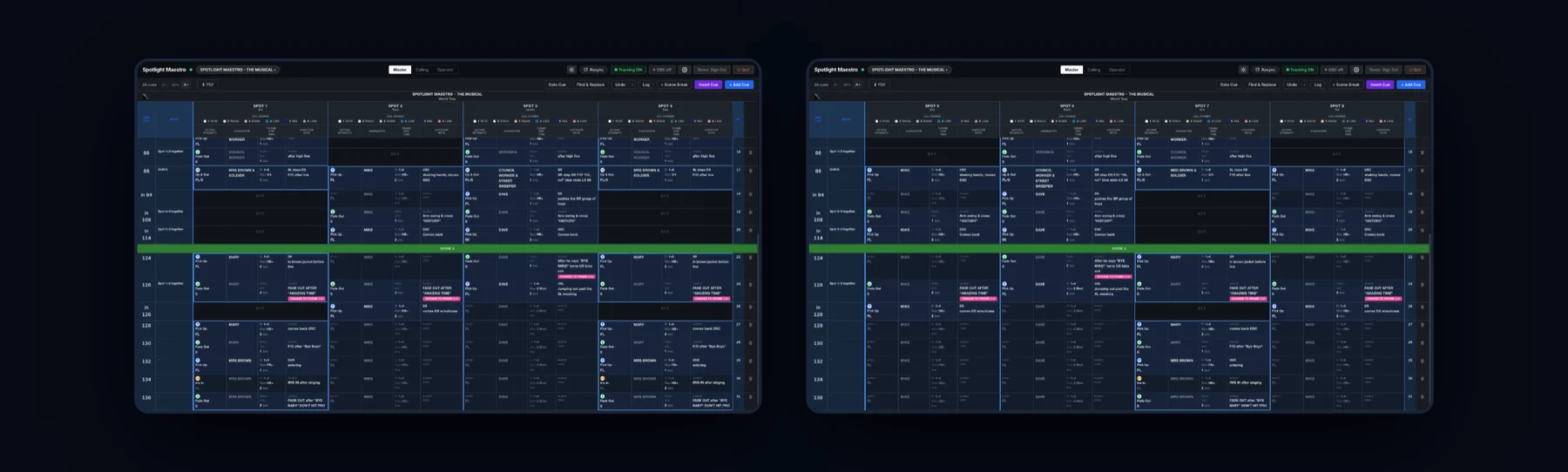
Every cell edits in place. Tab walks the row like a spreadsheet, skipping spots that are off. Dropdowns carry the show's own vocabulary of actions, sizes, characters and frames, and typing something new adds it to the list on the spot.
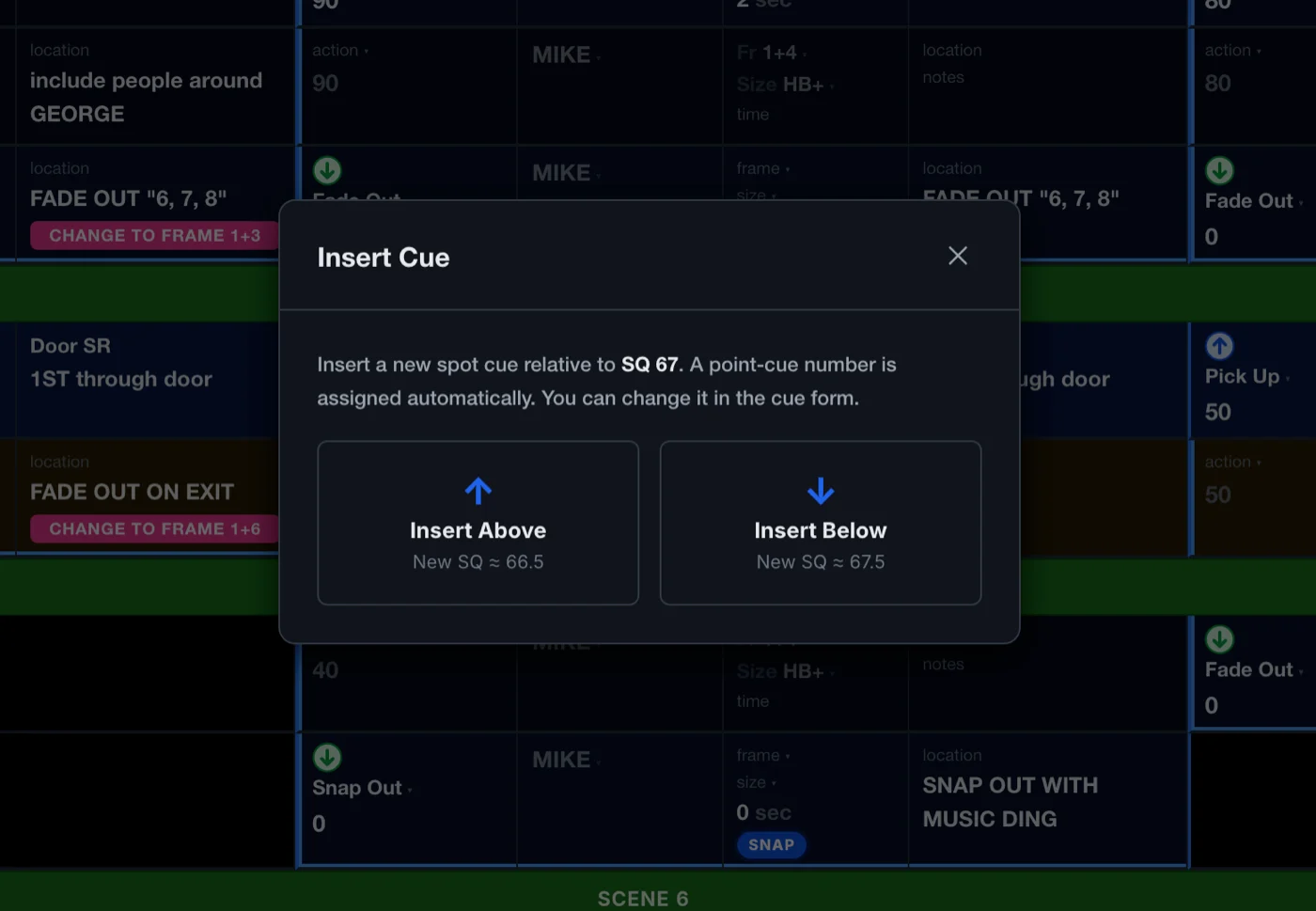
Insert Cue drops a point cue exactly between its neighbours and shows you the number it will use before it uses it. Goto Cue jumps every view by console cue, spot cue or scene name. Find and Replace edits more than one cell.
A followspot plot is weeks of decisions. Data integrity is central to Spotlight Maestro.
Everything about a production lives in a single show file on the host machine: cues, users, settings, vocabulary, photographs. Nothing is in a cloud.
Every edit is written the moment it is made, to a proper database on disk, and broadcast to every device. Everyone in sync the moment you finish typing.
The last twenty changes, each described as a sentence with a name and a time. Pick any point and the app spells out exactly what will be undone. A single undo, or hopping back multiple steps, are all in the app.
Every edit, every sign-in, logged against a person and a clock. When the plot says something surprising, you can find out who changed it, and when.
iPads sleep between acts and Wi-Fi drops out. Spotlight Maestro expects both: every device reconnects on its own and checks where the console is the moment it wakes.
Preview reshuffles. Acts swap. A spot can't get the shot and another takes its track. The Advanced tab does the surgery, and it shows you the operation before the change.
Moving, copying or swapping cues horizontally across the plot. Ranges of cues moved are blocked, so every cue still reads exactly as it did and nothing inadvertently tracks through.
Lift a run of cues and set it down elsewhere in the running order, everything they carry travelling with them. A song from Act 2 moved to Act 1? Spotlight Maestro has it covered.
Shift every level up ten because the venue is bigger, or turn every 80 into 60 for the new followspots. Blanks are never touched and zeros are never raised.
Every advanced operation dry-runs first. The app lists precisely what it is about to do, and the tab opens with the sage advice: back up before you use this.
Three layouts per spot, from big tracking cards to the traditional spot sheet.