Everything in one file
The plot, the settings, the users, every character photo and custom graphic. Complete on its own, restorable on any machine, and it carries the app's own log so one file contains all the information.
 SPOTLIGHTMAESTRO
Data in and out
Already have a plot in a spreadsheet? Spotlight Maestro imports it, improves it, and will hand it back any time: as CSV, as print-ready PDFs, or as a one-file backup of the entire production.
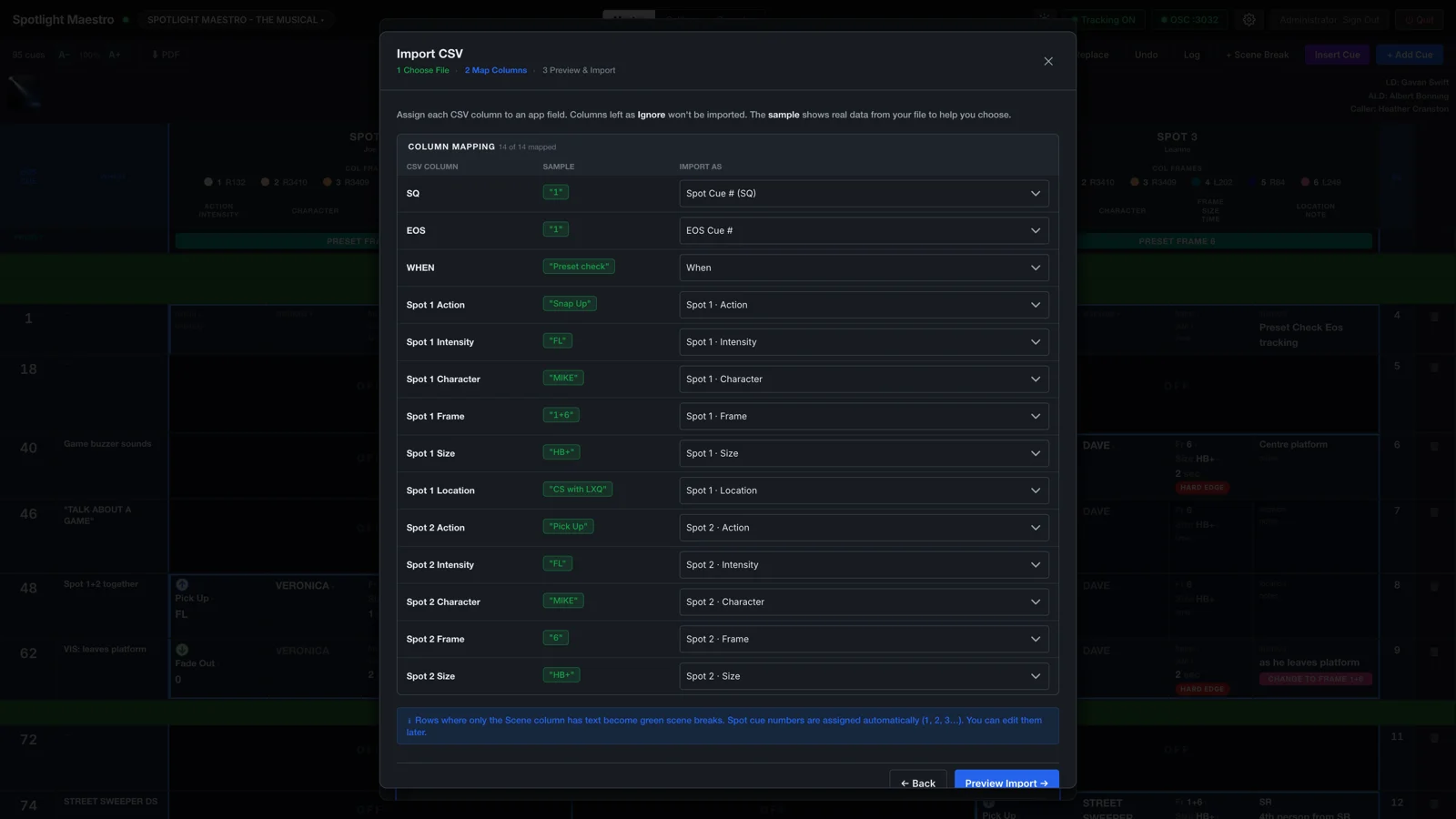
It even catches Excel's date damage. A beam size of 3/4 typed into a spreadsheet comes back as 3-Apr. The wizard flags every date-shaped cell with what it probably was, before a plot ever says "in three April".
Imported values are tidied against the show's own vocabulary, so Pickup, PICK UP and Pick Up land as one action instead of three.

Cueing in CuePoints? One button. The wizard recognises a CuePoints export on sight: every row lands on its spot, cue numbers and fade times fill in, and each label is read for the action, character, position, size and level packed into it. The label itself is kept word for word in the cue's notes, so nothing an operator typed is lost.
Export writes one row per cue with every spot's columns, named and ordered so the import wizard reads its own work back perfectly. Send it to the production office, archive it with the show files, or take the plot somewhere else entirely.
It is your data to import, store and export as you like.
Five layouts, each drawn as a proper document: crisp text, clean page breaks, real gel swatches, and the same held-value logic as the screen, so the paper says what the app says. You don't print a browser window, Spotlight Maestro generates a clean PDF. Every layout prints two ways: a dark PDF for reading on a screen, or a light PDF for paper.
| What it is | Default paper | |
|---|---|---|
| Master plot | The full grid, every spot side by side | A3 landscape |
| Operator list | One spot's cue table | A4 landscape |
| Operator tracking | One spot's cue cards, photographs included | A4 portrait |
| Spot summary | Colour loads, size key, cast and scenes | A4 portrait |
| Calling script | The whole script, line by line | A4 portrait |
Paper size and orientation are set per layout in Settings, from A5 to A2 plus US Letter, Legal and larger formats.
The plot, the settings, the users, every character photo and custom graphic. Complete on its own, restorable on any machine, and it carries the app's own log so one file contains all the information.
Backups are important even while the show is open and being edited. Save them wherever you choose: a folder, a stick, a network volume, or cloud storage.
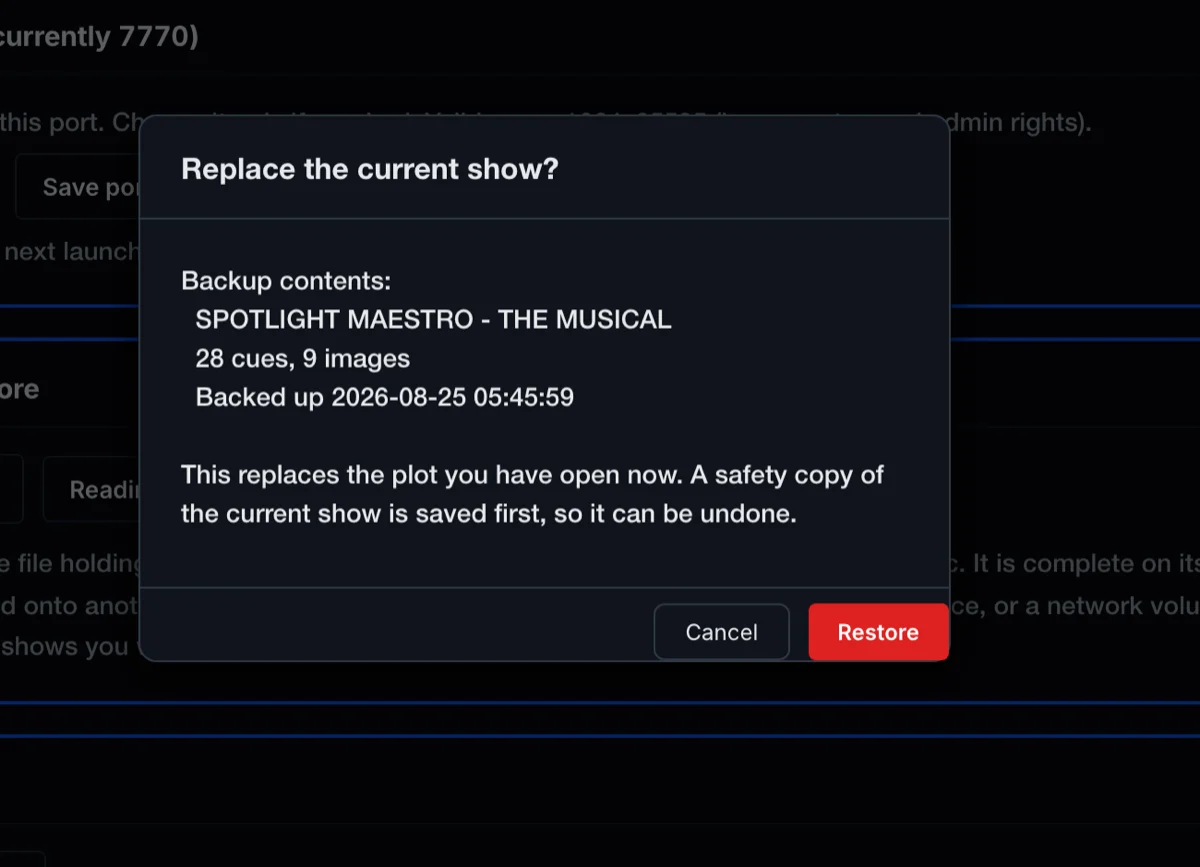
Restore shows you what is inside the file before it replaces anything, then takes a safety copy of the current show first. Restoring needs Admin, Author or Touring Operator permissions.
Plot on a laptop at home, run the show on the theatre's machine. Back up, carry the file, restore. The plot, the users and the photographs all arrive together. Backup and Restore are the specific paths to moving data between computers.
The backup deliberately leaves machine settings behind: the network port, the console address and the video feed describe a computer, not the show, so revisit Settings after a move.
The app, the show data and your backups, on either platform.


The plot, the cue sheet and the calling script, and what changes when they live on screens.